Bone Parenting
Physics components in Unity, such as VRChat PhysBones, are easiest to set up when a whole group of chains hangs from a single bone. Bone Parenting creates that bone for you.
-
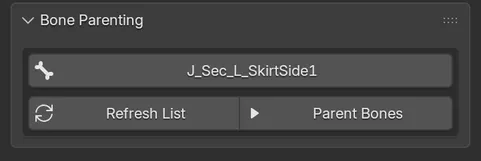
Open Bone Parenting and pick a group in the list. Cats finds sibling bones whose names are at least 70% alike, such as
Hair_1,Hair_2andHair_3, and lists them asHair (3 bones). Main body bones are never listed. -
Click Parent Bones.
Cats creates a bone named Root_<first bone> in the same place as the group’s current parent, and moves every bone of the group under it. It reports Bones parented! You can now put one physics component on the Root_ bone.
Root_ bones are protected: Cats never deletes them as zero-weight bones.
The list is cached. Click Refresh List after you rename, add or delete bones.